
The landscape of AI filmmaking has shifted dramatically. In 2026, we are no longer in the era of “prompt and pray.” With the release of Veo 3.1, filmmakers have transitioned from simple content generators to high-level digital directors.
The latest updates to the Veo architecture have introduced unprecedented levels of granularity and intentionality. Whether you are producing a high-budget commercial or an indie short, mastering the best creative control techniques is essential for staying competitive in this fast-evolving industry.
1. Modular Scene Composition: Moving Beyond the Single Prompt
One of the most significant shifts in Veo 3.1 is the move toward modular scene building. Instead of cramming every detail into a single, overloaded text prompt, 2026 filmmakers use a layered approach. This allows you to define characters, objects, lighting, and mood as separate reference components.
By utilizing multi-reference image inputs, you can blend a specific character design with a separate lighting reference. This technique ensures that your visual style remains consistent even when the action in the scene changes. It provides a level of aesthetic stability that was previously impossible in earlier AI models.
2. Leveraging 2026 Cinematic Presets for Instant Atmosphere
To speed up visual storytelling, Veo 3.1 introduces a suite of Cinematic Presets. These aren’t just simple filters; they are deep-learning configurations that dictate camera motion, grain, and color science.
For filmmakers, these presets offer a way to achieve professional-grade color grading and “film looks” instantly. Using presets like “Neo-Noir” or “Vintage 35mm” allows you to focus on the narrative while the AI handles the complex technical parameters of the visual output. It’s the ultimate tool for fast visual storytelling without sacrificing quality.
3. Mastering Multi-Shot Orchestration
Consistency has always been the “holy grail” of AI video. In 2026, Veo 3.1 solves this through Multi-Shot Orchestration. This technique allows filmmakers to generate a sequence of shots that maintain the same environment and character assets across different angles.
By defining a “Master Scene” and then requesting specific “Sub-Shots,” you can create a coherent edit. This is particularly useful for continuity-heavy sequences, such as dialogue scenes or complex action choreography. It ensures that the protagonist’s wardrobe and the room’s lighting don’t shift between the wide shot and the close-up.

4. The “Director’s Framework” for Advanced Prompting
The Ultimate Prompting Guide for Veo 3.1 emphasizes a shift toward technical cinematography language. In 2026, the most successful filmmakers use a Director’s Framework when prompting. This involves breaking down the prompt into four distinct quadrants:
- Subject & Action: What is happening? (e.g., “A cybernetic detective walking through rain.”)
- Cinematography: Lens choice and camera movement. (e.g., “Anamorphic 35mm, slow dolly zoom.”)
- Lighting & Mood: The emotional weight. (e.g., “High-contrast chiaroscuro, flickering neon blue.”)
- Technical Metadata: Resolution and frame rate preferences. (e.g., “8K, 24fps, high motion fidelity.”)
5. Sculpting with Light: Advanced Mood Layering
Veo 3.1 allows for dynamic lighting control, a feature that has become a favorite for 2026 creators. You can now specify “light sources” within the prompt as if you were placing physical lamps on a set.
Techniques like volumetric lighting and subsurface scattering are now fully controllable. This means you can direct the AI to “place a warm rim light on the character’s left shoulder” to create depth. This level of control allows for a much more cinematic and three-dimensional feel in the final render.

6. Temporal Consistency and Motion Mapping
One of the most frustrating aspects of early AI video was “morphing” or “hallucinations” during movement. Veo 3.1 utilizes Temporal Motion Mapping to ensure that objects move realistically through space.
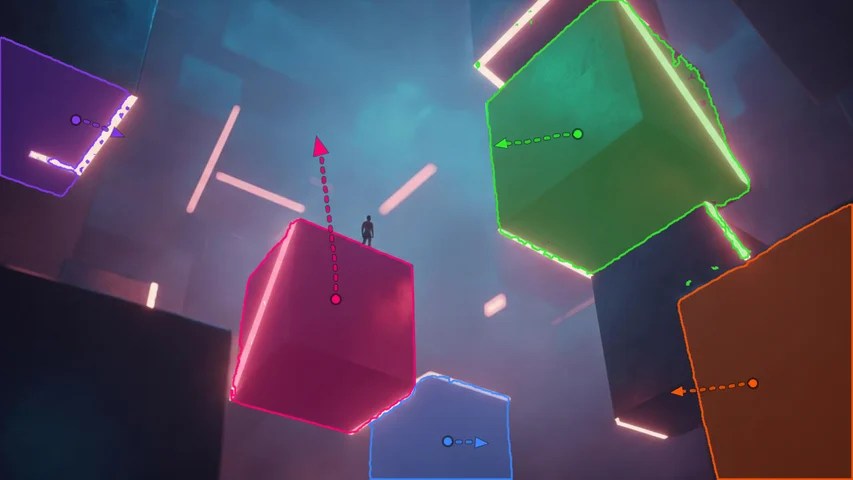
Filmmakers can now use motion brushes or directional vectors to tell the AI exactly where an object should move. This technique is vital for VFX-heavy productions where the AI-generated elements must interact perfectly with real-world physics. It reduces the need for extensive post-production cleanup.
7. Troubleshooting and Refining the AI Output
Even with the power of Veo 3.1, not every generation is perfect on the first try. The best filmmakers in 2026 use an iterative refinement process. This involves using the “Seed Control” feature to make minor adjustments to a shot you already like.
If the composition is perfect but the character’s expression is off, you can re-roll specific segments of the frame using in-painting tools. This surgical precision is what separates amateur “prompt engineers” from professional AI filmmakers. By refining the output layer by layer, you achieve a level of polish that rivals traditional Hollywood cinematography.
Conclusion: The Future of Creative Control
As we navigate through 2026, the role of the filmmaker has been redefined by the capabilities of Veo 3.1. The focus has shifted from the struggle of “making the AI work” to the artistry of orchestrating a vision. By mastering modular scene composition, cinematic presets, and the Director’s Framework, you can unlock a new world of storytelling possibilities.
The tools are more powerful than ever, but the most important element remains the creative intent of the human behind the screen. Use these techniques to push the boundaries of what is possible and lead the next wave of the digital cinema revolution.