How To Generate Underwater And Space Environments In Veo 3.1

In the rapidly evolving landscape of generative AI, Google DeepMind’s Veo 3.1 stands as the definitive tool for creators, filmmakers, and developers. As we move through 2026, the shift from basic text-to-video generation to nuanced creative control has revolutionized how we build digital worlds. Whether you are aiming to capture the bioluminescent depths of the Mariana Trench or the silent, vast expanse of a distant nebula, Veo 3.1 provides the architectural depth to make it happen.
Generating extreme environments like the deep sea or outer space requires more than just a simple prompt; it demands an understanding of physical simulation, lighting physics, and camera dynamics. This guide will walk you through the precise techniques required to master these complex environments using the Veo 3.1 API and interface.
Understanding the Physics of Extreme Environments in Veo 3.1
To generate believable environments, you must first speak the “language” of the model. Veo 3.1 is trained on massive datasets that include cinematic lighting, fluid dynamics, and astrophysical imagery. When prompting, you are essentially guiding the model to prioritize specific latent space features that define these environments.
The Underwater Aesthetic
Underwater scenes are defined by light attenuation, suspended particulates (marine snow), and caustics. When you prompt for underwater environments, you must explicitly define the “medium.”
Prompting Tip: Use keywords like “turbid water,” “diffused sunlight filtering through surface ripples,” and “volumetric light shafts.”
Key Technical Parameter: Adjust the refraction index descriptors in your prompt to ensure the water looks dense rather than like thin air.
The Outer Space Aesthetic
Space is defined by the absence of an atmosphere, which implies infinite contrast and sharp, unfiltered light.
Prompting Tip: Focus on “high-contrast lighting,” “absence of atmospheric haze,” and “sharp, starlit silhouettes.”
Key Technical Parameter: Mention the specific light source (e.g., “harsh sunlight from a nearby white dwarf”) to ensure the shadows are pitch black, which is a hallmark of high-fidelity space imagery.
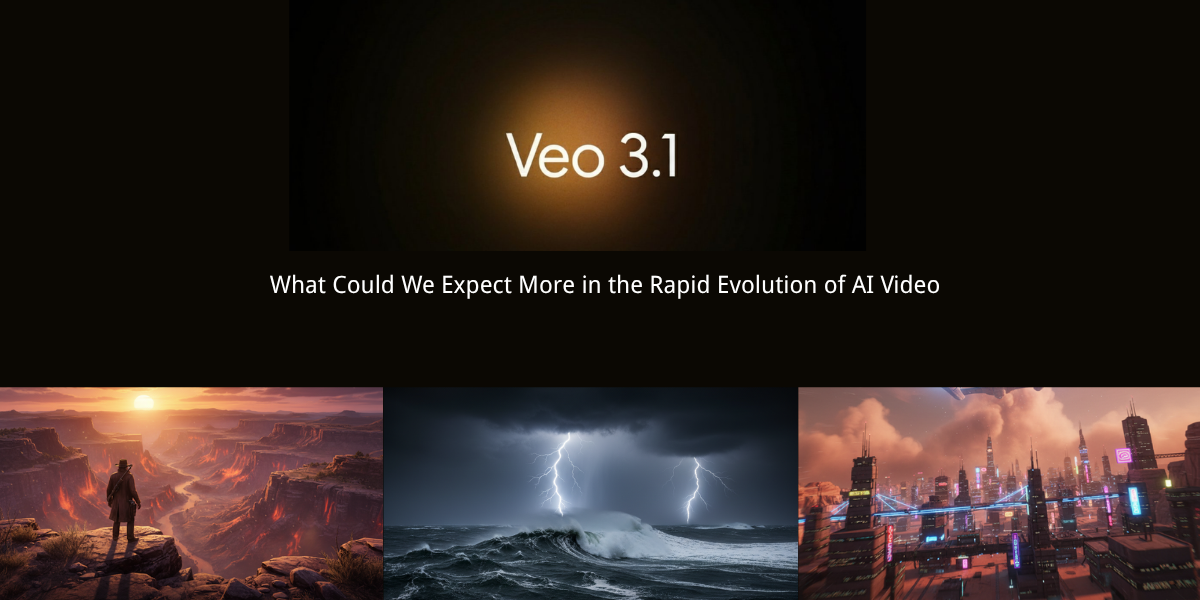
The Anatomy of a Perfect Environment Prompt
The most powerful way to use Veo 3.1 is not to rely on “lucky” one-shot generations. Instead, you must build a structured multi-shot sequence. By planning each clip as part of a coherent scene, you maintain visual consistency across your project.
The “Environment First” Framework
When creating your prompts, follow the Subject-Environment-Lighting-Motion (SELM) framework:
- Subject: What is the primary focus? (e.g., A deep-sea submersible or a rogue asteroid).
- Environment: What is the setting? (e.g., A hydrothermal vent field or the rings of a gas giant).
- Lighting: How does light behave? (e.g., Bioluminescent blue glow or cold, harsh starlight).
- Motion: How does the camera move? (e.g., “Slow, cinematic gimbal pan” or “erratic, weightless drifting”).
By layering these four elements, you move from generic AI-generated stock footage to professional-grade cinematic assets.
Advanced Techniques for Underwater Realism
Generating a convincing underwater environment in 2026 requires mastery of Veo 3.1’s native audio and visual synchronization. You aren’t just creating a picture; you are creating a world.
Simulating Fluid Dynamics
Veo 3.1 handles fluid motion significantly better than its predecessors. To get the best results, use descriptors for viscosity. Instead of saying “water,” try “dense, high-pressure ocean water with swirling silt.” This forces the model to calculate a higher level of complexity in the particle physics of the scene.
Managing Bioluminescence
If you are generating a deep-sea scene, the lighting is your most critical tool. Use the prompt, “flickering bioluminescent organisms casting soft, cyan light on metallic surfaces.” This creates a localized light source that the model can track, ensuring the light interacts realistically with your subject.
![How to Use Veo 3.1: Create Stunning AI Video [Step by Step]](https://veo3generate.com/wp-content/uploads/2026/05/78048141-2a52-4966-87b3-5b9ffed2da0f.webp)
Mastering Space Environments: Beyond the Black Void
Space is often misunderstood by AI models as “black space with dots.” To differentiate your work, you need to focus on nebular gas, planetary curvature, and light reflection.
The Importance of “Scale”
In space, scale is everything. To make your environment feel vast, include a foreground object that provides a sense of proportion. For example, “a small, rugged space probe in the foreground, dwarfed by the massive, swirling crimson clouds of a Jupiter-like gas giant in the background.”
Camera Vocabulary for Space
Use specific camera vocabulary to guide the AI’s perspective:
“Slow orbital dolly”: Gives the impression of a satellite orbiting a planet.
“Weightless tumble”: Simulates an object drifting through the vacuum without gravity.
“Wide-angle lens, 14mm”: Essential for emphasizing the vastness of the cosmos.
Integrating Veo 3.1 API for Professional Production
For developers and high-end creators, the Veo 3.1 Google Video API offers a level of control that the standard web interface cannot match. By utilizing the API, you can inject custom motion vectors and seed values to ensure that your underwater or space environments remain stable across multiple clips.
Production Considerations
When building a series of shots, use the same seed value for your environment prompts. This ensures that the “look” of your nebula or your ocean floor doesn’t shift unexpectedly between camera angles.
Furthermore, leverage native audio capabilities to add ambient soundscapes. For an underwater scene, integrate “muffled, low-frequency pressure hums.” For space, use “silence with faint, high-pitched electrical interference.” These auditory cues are the “secret sauce” that makes AI-generated content feel like a high-budget production.
Troubleshooting Common Issues
Even with the power of Veo 3.1, you may encounter issues. Here is how to fix the most common problems in extreme environment generation:
Floating Objects: If your subject looks like it’s floating in a void, add “interaction with environment” to your prompt. For example, “sand particles kicked up by the submersible’s thrusters” forces the AI to ground the object in the space.
Flat Lighting: If your space scene lacks depth, increase the contrast. Add “rim lighting” or “backlighting from a distant star” to create silhouettes and depth.
Inconsistent Motion: If the camera movement feels jittery, use “smooth, steady-cam movement” or “slow, cinematic pan” to force the model to prioritize temporal stability.
Future-Proofing Your Workflow
As we look toward the latter half of 2026, the integration of real-time rendering with Veo 3.1 is the next frontier. By combining these AI-generated environments with game engines like Unreal Engine 6, creators are building hybrid workflows where AI generates the textures and atmosphere, while the engine handles the interactivity.
Start by practicing with short, 5-second clips. Focus on getting the lighting right first. Once you have a “library” of consistent environments, you can begin to stitch them together into longer, more complex narratives. The goal is to move beyond the limitations of the prompt and into the realm of AI-assisted cinematography.
Conclusion
Generating underwater and space environments in Veo 3.1 is an exercise in precise instruction and creative direction. By utilizing the SELM framework, mastering camera vocabulary, and leaning into the physics of your chosen environment, you can produce visuals that were previously the exclusive domain of high-budget VFX studios.
The tools are ready. The environment is waiting. It is time to start building your own corner of the universe.