How To Create Looping Videos And Seamless Animations With Veo 3

The landscape of AI-generated content has evolved rapidly, and as of 2026, Veo 3 stands at the forefront of this creative revolution. Whether you are a digital artist, a social media marketer, or a filmmaker, mastering the art of the seamless loop is the secret to high engagement. By leveraging the advanced capabilities of Google Flow and the latest Veo 3.1 features, you can create hypnotic, infinite animations that keep your audience glued to the screen.
In this guide, we will explore the professional workflows required to transform static AI generations into polished, professional-grade looping content.
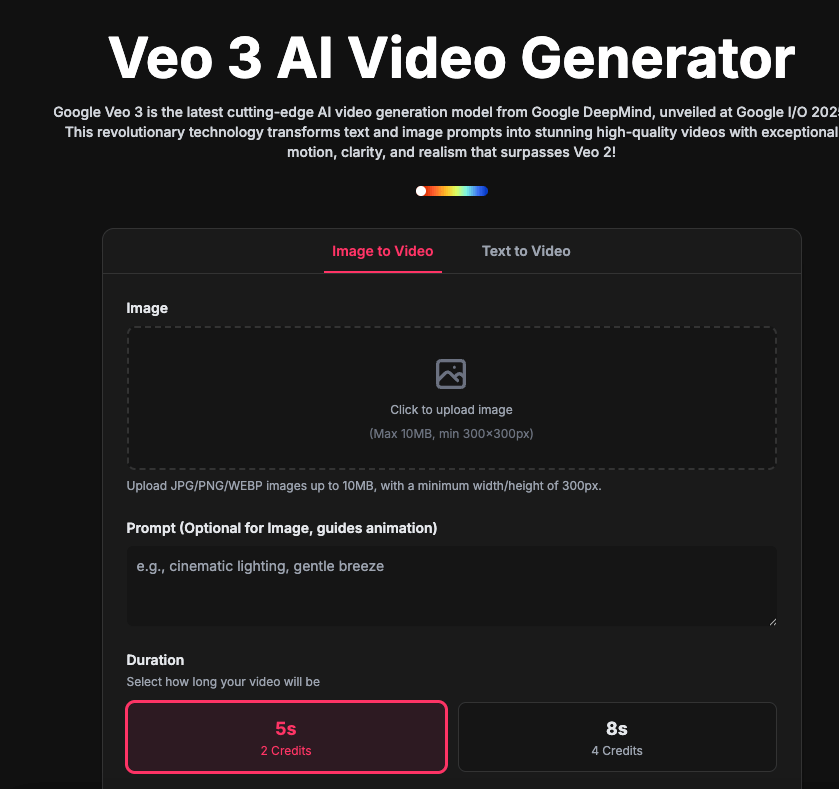
Understanding the Power of Veo 3 and Flow
Veo 3 is not just an image-to-video generator; it is a sophisticated motion engine. Unlike previous iterations, Veo 3.1 allows for temporal consistency that was previously impossible. When you integrate Google Flow, you gain granular control over the frame-by-frame progression of your animations.
To create a perfectly looping video, you must focus on two primary technical pillars: frame matching and transition blending. By utilizing the “Start Frame” feature, you can force the AI to recognize the terminal point of your video as the beginning of the next, effectively removing the “jump cut” effect that plagues amateur AI animations.
Step-by-Step: Crafting Seamless Loops with Veo 3.1
Creating a loop requires a methodical approach. Follow this workflow to ensure your animations remain fluid and professional.
1. Establishing the Foundation with Starting Frames
The most effective way to ensure a seamless loop is to define the starting frame explicitly. In the Veo 3 interface, upload a high-quality image that serves as both your “A” and “Z” point. By setting this as your anchor, you inform the AI that the motion must return to this specific visual state by the end of the clip.
2. Leveraging Frame Matching Techniques
Once your starting frame is set, use the Flow integration to guide the motion trajectory. Frame matching allows you to define the velocity of objects within the scene. If you are creating a looping landscape, ensure the cloud movement or water flow follows a path that resets logically at the 10-second mark.
3. Extending Clips for Infinite Playback
With the arrival of Veo 3.1, you can now extend existing videos to create longer, more complex sequences. If your initial generation doesn’t loop perfectly, use the “Extend Video” tool to generate a transition bridge. This feature analyzes the final frame and predicts the motion required to return to the origin smoothly.
Advanced Tips for High-Quality AI Animations
To truly stand out in 2026, you need to go beyond basic prompts. Here are three professional strategies to maximize your creative output:
- Consistent Motion Vectors: When prompting, describe the motion clearly (e.g., “slow, rhythmic panning” or “cyclical fluid motion”). Consistent verbs lead to more predictable loops.
- The Cross-Dissolve Hack: Even with AI, a 5-frame cross-dissolve at the end of your export can be the “secret sauce” that hides minor inconsistencies between the final and initial frames.
- Iterative Refinement: Don’t settle for the first result. Use the Veo 3.1 variation tool to generate multiple versions of the same loop, then select the one with the highest degree of temporal stability.

Navigating the Future of AI Content Creation
As AI video generation becomes more accessible, the value shifts toward creative intent and editorial control. Using Google Flow and Veo 3 responsibly means focusing on high-quality, original assets rather than low-effort spam. By mastering these tools, you are not just generating video; you are directing an AI-assisted production pipeline.
The integration of these features allows creators to produce content that feels organic rather than synthetic. Whether you are building background visuals for a music track or high-impact social media ads, the ability to control the seamless loop is an essential skill in your 2026 creative toolkit.
Conclusion
Creating looping videos and seamless animations with Veo 3 is a blend of artistic vision and technical precision. By utilizing starting frames, Google Flow motion vectors, and the extended clip functionality in Veo 3.1, you can achieve professional results that captivate and engage. Start experimenting today, and remember: the most compelling loops are those that feel natural and intentional.